Coding, AI & game designAges 6–126 min read
By Emma Brooks ·
Robotics or Coding: Which Should My Child Start With?
Robotics vs coding for kids: how they differ, where to start by age, a quick checklist to match your child, and low-cost ways to try both first.
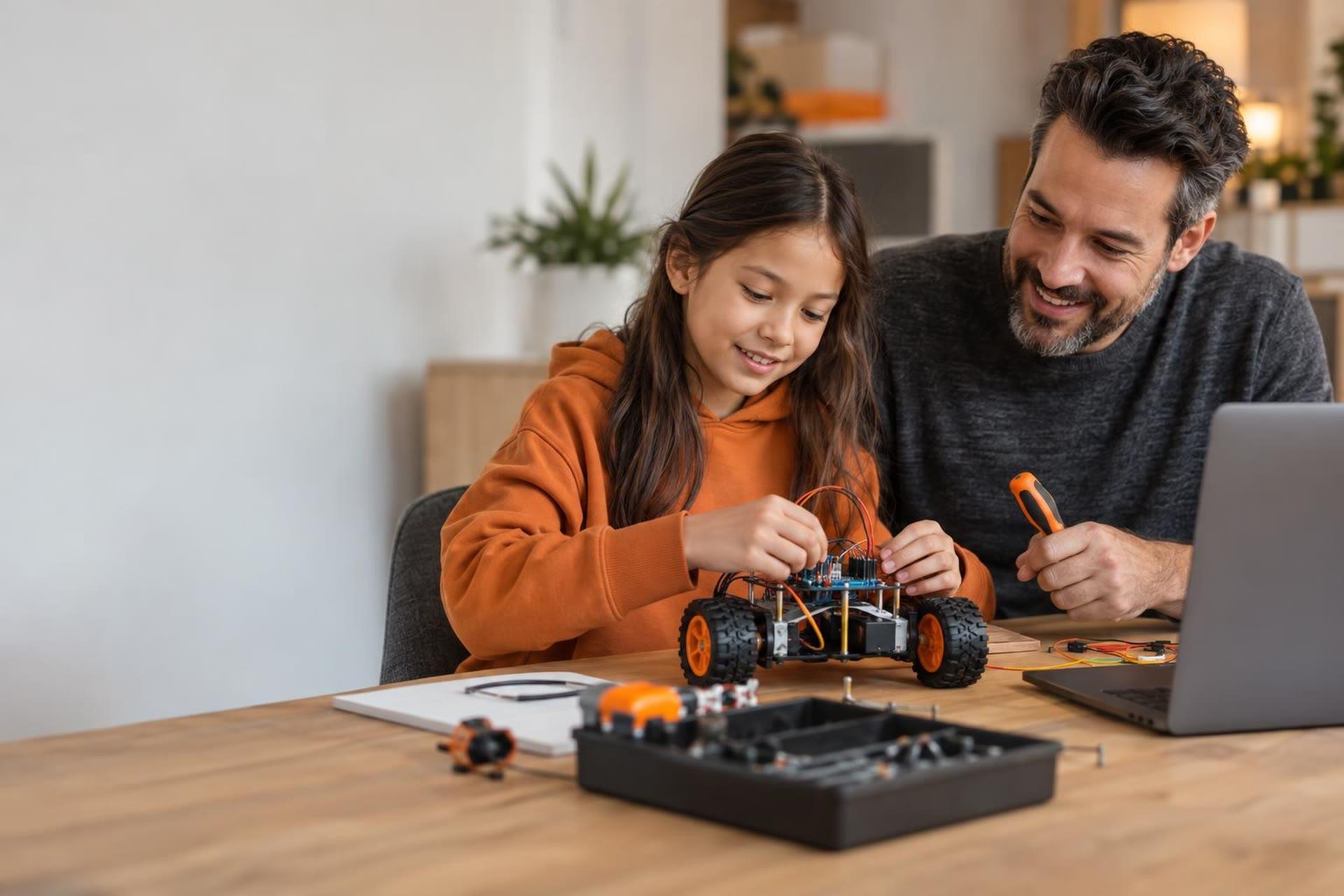
For most kids, coding is the easier place to start, because all it needs is a computer and a free tool like Scratch. Robotics makes a great first step for hands-on kids who lose interest in screens, and it teaches coding along the way. The best choice depends on your child's age, how they like to learn and how much setup you want at home.
Start with coding if your child loves stories, games and drawing, or if you want a low-cost trial. Start with robotics if your child loves building, taking things apart and seeing results move in the real world. Either path leads to the other, so the "wrong" choice is hard to make. Watch what keeps your child coming back.
How robotics and coding differ for kids
Coding means writing instructions a computer follows. For young kids, that usually means block-based tools where you snap commands together like puzzle pieces. The result lives on the screen: an animation, a game or a story.
Robotics combines building a physical machine with coding it. Kids assemble motors, sensors and wheels, then write a program that makes the robot drive, turn or react. The result moves around the room.
So robotics includes coding, plus mechanics and troubleshooting. That extra layer is exciting for some kids and frustrating for others, especially when a loose wire stops everything.
Robotics vs coding: a side-by-side look
| Question | Coding first | Robotics first |
|---|---|---|
| What do you need? | A computer or tablet and a free tool | A robot kit or class kit, plus a device to program it |
| Upfront cost | Often free to try | Usually higher because of hardware |
| What kids make | Games, animations, stories | Machines that move, sense and react |
| Skills built | Logic, sequencing, debugging, creativity | All of those, plus building, mechanics and spatial thinking |
| Best for | Storytellers, gamers, artists, kids who like to work alone | Builders, tinkerers, kids who learn by touching things |
| Common frustration | Too much screen time if not balanced | Parts break or go missing; setup takes time |
 A live class on this3D Anime Character Creation with Blender & VRoid StudioAges 12–17
Where to start by age
Ages 5 to 7
Keep it playful and short. The Scratch Foundation's help center says ScratchJr is intended for 5 to 7 year olds, and it lets young kids make characters move without reading much. Simple screen-free coding toys and floor robots also work well. At this age, the goal is understanding that instructions happen in order.
Ages 8 to 10
This is a sweet spot for both. The same Scratch help page says Scratch is intended for ages 8 to 16, so kids can build real games here. Beginner robot kits make sense now too, because most 8-year-olds can follow building steps and handle small parts. Organized programs open up as well: FIRST LEGO League runs team divisions for ages 5 to 16, with younger divisions focused on the basics of engineering and hands-on problem-solving.
Ages 11 and up
Older kids can go deeper in either direction. Coders can move from blocks to text languages like Python. Robotics kids can join competition teams, where they program a robot to complete missions on a field and work on a team project. Many kids this age start enjoying the challenge of debugging for its own sake.
Which fits your child? A quick checklist
Read each list and see which one sounds more like your child.
Lean toward coding if your child:
- Draws characters, invents stories or designs board games
- Asks how video games are made
- Is happy working quietly on one project for a while
- Gets impatient with assembly instructions and small parts
Lean toward robotics if your child:
- Builds with blocks or bricks for hours
- Takes apart old gadgets to see what is inside
- Needs to move and use their hands to stay focused
- Gets more excited about something real than something on a screen
If your child checks boxes on both lists, start with whichever is easier for your family right now. A free coding tool costs nothing to test this weekend. If robotics wins, our guide on how to choose a first robotics kit walks through what to look for before you buy.
How to try both without a big investment
- Do a free coding session at home. Sit with your child for 20 minutes in ScratchJr or Scratch and let them make a character move.
- Try an unplugged robot game. One person is the "robot" and the other gives step-by-step commands to walk across the room. Kids learn sequencing fast when the robot crashes into the couch.
- Borrow before you buy. Many libraries and schools lend robot kits or run maker clubs.
- Take a short class in each. A one-time class or a few days of camp shows you what holds your child's attention with a teacher guiding the way.
- Notice what they talk about afterward. The topic your child brings up at dinner is your answer.
The core ideas carry over. Sequencing, loops and "if this, then that" logic work the same way whether the result is a game sprite or a robot wheel. Time spent on either one is never wasted.
What to watch for
- Small parts: Many robot kits include tiny pieces. Check the kit's age label if you have younger siblings at home.
- Frustration spikes: Robotics has more ways to fail. Stay nearby for the first few builds and celebrate fixing problems.
- Screen balance: Coding is screen-based. Mix in offline building, drawing or unplugged games.
- Buying too much too soon: Hold off on expensive kits until your child has shown steady interest for a few weeks.
Frequently asked questions
Does my child need to learn coding before robotics?
No. Beginner robotics kits and classes teach the coding your child needs as they go. Some kids actually learn coding faster when they can see a robot respond.
What is the best age to start robotics?
Many kids are ready for beginner kits around age 7 or 8, when they can follow building steps and handle small parts. Younger kids can start with simple floor robots or toy-style kits.
Is block coding "real" coding?
Yes. Block tools teach the same logic as text languages, including sequences, loops and conditions. They simply remove typing and spelling errors so kids can focus on ideas.
Can kids learn robotics online?
Yes. In live online robotics classes, kids usually build with their own kit at home while the teacher guides them on video. Check what kit or materials a class requires before you sign up.
Let your child build, code and test ideas
Live engineering and robotics classes give kids a teacher to guide each build and a group to share their inventions with.