By Amelia ·
Roblox Classes for Kids: From Player to Creator
Learn how a child’s interest in Roblox can lead to game design, 3D building, and beginner coding—while keeping expectations and boundaries grounded.
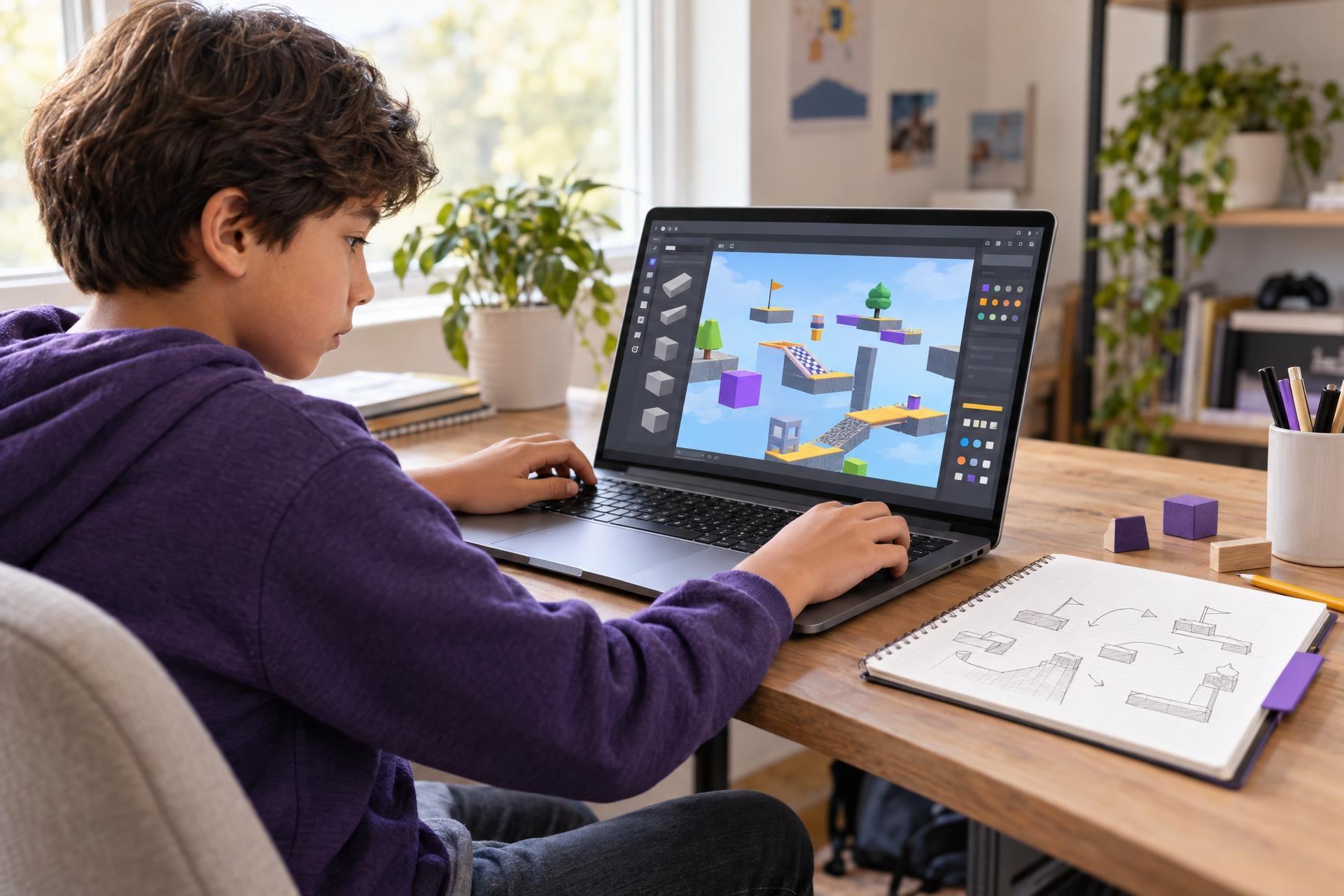
Your child does not have to stop loving Roblox to explore what it takes to make a game.
For many children, Roblox is first and foremost a place to play, explore, and talk with friends. That is fine. Play does not need to become a lesson in order to have value. But sometimes a child’s interest starts to shift: they wonder how an obstacle course was built, critique a confusing level, invent a better game idea, or ask what would happen if a player touched a certain object.
Those are useful signs of creator curiosity. A Roblox-focused class or a first experiment with Roblox Studio can give that curiosity somewhere to go—not by turning a child into a developer overnight, but by inviting them to build, test, revise, and see games from the other side.
Playing Roblox does not automatically teach coding or game development, and not every child who enjoys playing will want to create. But a child who notices level design, imagines new game ideas, or asks how an interaction works may enjoy trying the creator side. A strong first step is small: one playable room, a short obstacle course, a simple challenge, or one interaction that works. The goal is not a polished game. It is to find out whether building, testing, revising, visual design, storytelling, or beginner coding feels engaging.
The key is to keep the opportunity low-pressure. A first project might be one playable room, a short obstacle course, a simple player goal, or one interaction that works. The purpose is not a polished game. It is finding out whether your child enjoys the process of creating one.
Playing games and making games are different—and both can matter
Playing Roblox does not automatically teach coding, game development, or collaboration. A child can be an enthusiastic player without wanting to build anything, and there is no need to force the leap from hobby to project.
Creating does, however, ask a different set of questions. Instead of “How do I win this level?” a child may begin asking:
- What should a player do first?
- How far apart should these jumps be?
- Where should a checkpoint go?
- What makes this challenge exciting rather than frustrating?
- How can I make something happen when a player reaches this spot?
That shift—from using an experience to shaping one—can make a familiar interest feel fresh. It also creates room for different strengths. One child may love arranging a 3D environment. Another may prefer inventing a story, balancing a challenge, or experimenting with beginner code.
Roblox Studio is the creation tool associated with Roblox. Its educational materials describe learning activities that can involve game creation, 3D modeling, coding fundamentals, and game design. For a curious child, its familiarity can lower the barrier to trying a new kind of creative work.
How to spot creator-minded curiosity
You do not need a child to announce, “I want to learn game development.” Often, their interest shows up in ordinary comments about the games they already play.
They may be noticing how a world is arranged.
They may be thinking about challenge and player experience.
They may be ready to explore a game idea of their own.
They may be curious about how an interaction works.
They may have useful instincts for testing and revision.
They may want a chance to build.
These comments do not prove that a child wants a class, but they offer a natural opening for a conversation. Try questions that invite thought rather than test knowledge:
“What would you keep if you made a game like that?”
“What would you change to make it more fun?”
“Would you rather design the world, make up the challenges, or figure out how things work?”
Their answer may point toward game design, visual building, storytelling, or beginner programming. It may also reveal that they simply want to play—and that is useful information, too.
What children can explore through Roblox creation
Game-making is not one skill. It is a collection of creative and technical choices, which is one reason it can be a welcoming starting point for children with different interests.
| If your child enjoys… | They may enjoy exploring… |
|---|---|
| Drawing maps, arranging spaces, or decorating | 3D building, layout, and world design |
| Making up rules and challenges | Level design, player goals, and game mechanics |
| Stories, characters, and imaginative settings | Theme, narrative prompts, and environmental storytelling |
| Puzzles and figuring out why things work | Testing, debugging, and beginner scripting |
| Giving detailed opinions about games | Playtesting and revising a design based on what players experience |
A guided class can introduce these areas in manageable pieces. Roblox’s introductory education materials, for example, include activities around building an obstacle course, playtesting it, and beginning with scripting concepts. The important word is beginning. A child does not need to master every part of game creation to have a worthwhile first experience.
Start with one playable idea, not a “real game”
Children often begin with a big vision: a huge world, dozens of levels, a complex story, or a game that combines every favorite genre. Enthusiasm is wonderful, but a small project makes it easier to experience the satisfying loop at the heart of creative work: make something, try it, notice a problem, and improve it.
Here are realistic first-project ideas for ages 8–14:
A short obstacle course
Build a few jumps, add a clear finish, and decide where checkpoints should go.
A themed room or scene
Create a setting that gives players clues about where they are and what they should do.
One game rule
Decide what happens when a player reaches a goal, touches an object, or completes a task.
A simple challenge
Design a maze, timed route, scavenger hunt, or sequence puzzle for another person to try.
Consider the difference between “Make a complete game” and “Make one challenge that another person can understand and play.” The second goal is more concrete, less intimidating, and rich with learning opportunities.
For example, an 8-year-old who loves obstacle-course games might create three jumps and then discover that the second one is too hard. With guidance, they can move platforms, add a checkpoint, and ask a family member to test it. A 14-year-old may take the same idea further by building a feature, testing it, noticing what confuses players, and revising the design. Both are practicing the valuable habit of iteration at an age-appropriate level.
What a good beginner experience should feel like
A class is not the only way to begin, but guided learning can be especially helpful when a child is new to creator tools or gets discouraged by technical setup. The best Roblox Studio classes for kids make room for creativity while providing enough structure that the child can keep moving.
Look for an experience that:
- States a clear age range and beginning skill level.
- Uses small, achievable projects rather than assuming prior coding knowledge.
- Explains the purpose behind a design choice, not just which buttons to click.
- Leaves room for children to make their own choices about theme, layout, or challenge.
- Normalizes mistakes, testing, and revision.
- Sets clear expectations about the tools, account needs, and adult support that may be required.
A good first class should not make parents feel that they are signing up for a career track. Think of it as a creative trial: a chance to see whether your child likes building worlds, shaping player experiences, or experimenting with beginner coding.
Keep creative exploration and family boundaries together
Creating in Roblox Studio may feel more purposeful than passive play, but it still happens in a digital environment. A project does not replace family expectations about time, spending, communication, or what kinds of online experiences are appropriate.
Before your child begins, it can help to agree on a few basics:
- Time: When will they create, play, and take breaks? Is creation time separate from social gameplay time?
- Accounts and settings: Review the settings available for your child’s account and make choices that fit your family.
- Communication: Be clear about whether, when, and with whom your child may interact online.
- Spending: Set expectations around purchases and ask before making changes.
- Check-ins: Invite your child to show you what they are making and to bring questions or uncomfortable situations to you.
Roblox provides parental-control options related to areas such as screen time, game access, communication, and spending. These tools can help families manage aspects of a child’s experience, but they do not eliminate the need for ongoing conversations and adult judgment.
A simple routine can work well: “Show me what you built for five minutes before dinner,” or “Let’s test your level together this weekend.” This lets you share the child’s interest without needing to become their game-development teacher.
What parents can do next
- Listen for the details your child notices about the games they play: worlds, rules, challenges, stories, or how things work.
- Ask whether they would enjoy making one small thing for someone else to try.
- Choose a manageable first project, such as a short obstacle course, a scene, a challenge, or one interaction.
- Set family expectations around time, account settings, communication, spending, and check-ins before they begin.
- Treat a class or first experiment as a low-pressure way to discover whether creating is as interesting to them as playing.
If your child is curious about making games, you do not need to decide today whether Roblox will become a lasting passion. That first experience can reveal a lot. A child may light up while designing a space, persist through a small technical problem, or discover that they care deeply about making a challenge feel fair. Or they may decide that they prefer being a player. Either outcome is a useful, pressure-free discovery.
Explore Roblox-focused creative learning
For families looking for a guided place to start, Undoschool offers Roblox-focused classes in game development and creative technology, from building and design to beginner coding.