




Scratch Halloween Arcade Makers Camp
Ishita Nair
Ages 9–11 · 50 min · 4 / Week
$13.00per classSee schedule
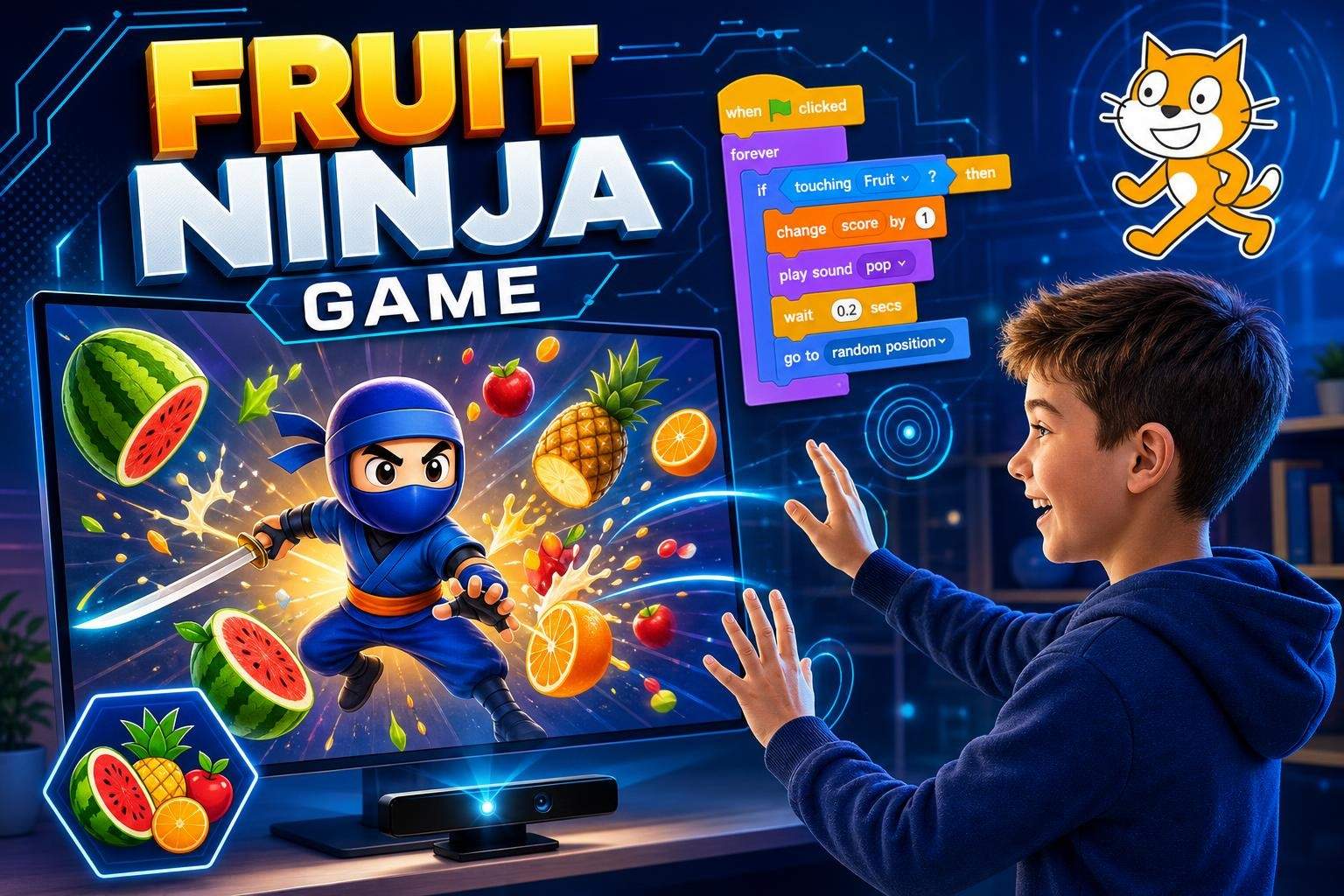
In this single-session class, students use Scratch’s video sensing feature to create a Fruit Ninja style game controlled by real hand movements. The lesson introduces how Scratch detects motion, then walks learners step-by-step through building gameplay mechanics, scoring, and simple game rules. By the end of the session each student will have a playable game that responds to their webcam input and reflects their own design choices. Class activities include live coding demonstrations, guided problem-solving, and time for personalization. Students learn core programming concepts in a visual, kid-friendly environment: event handling, conditionals, loops, sprite interactions, and score tracking. The instructor will debug common issues in real time and show ways to tweak speed, sprite behavior, and sound effects so each game feels unique. This class emphasizes hands-on practice and creative choices. Learners will test their games during class, get feedback from the instructor, and have the chance to share their finished project with classmates. The session is suitable for beginners who are comfortable using a computer and webcam; no prior coding experience is required. Timing: short intro and demonstration, focused build time for mechanics, then customization and playtesting. Students leave with a working Scratch project they can continue to modify and expand at home.
$13.00
1 class · $13.00 per class
Paid once.
Live, one-time online session with step-by-step instructor guidance. Students follow along in Scratch, test motion control using their webcam, and receive real-time help. The class ends with playtesting and a short share time for student projects.
Use Scratch video sensing to detect and respond to motion
Program interactive slicing, collisions, and score tracking
Apply loops, conditionals, and event blocks in Scratch projects
Customize sprites, sounds, and game difficulty
Test and debug a real-time interactive game
No prior coding required. Comfortable using a computer, mouse, and keyboard. A working webcam and stable internet connection are required.
Choose a time that works best for you. All times are shown in Coordinated Universal Time.
Rahul is a warm, patient educator who helps young learners turn ideas into playable Scratch projects. With a focus on game design, animation, and interactive storytelling, he leads weekly club sessions and short workshops that teach sprites, movement, conditionals, loops, collisi…
5.0
3 reviews for this class
Ratings are specific to this class, not the teacher's overall profile.
Only reviews with written feedback are shown below.
Ishita Nair
Ages 9–11 · 50 min · 4 / Week
$13.00per classSee schedule
Vaishnavi Nair
Ages 9–11 · 55 min · 4 / Week
$13.00per classSee schedule
Ishita Nair
Ages 6–8 · 50 min · 1 / Week
$12.00per classSee schedule
Rahul Pillai4.4
Ages 6–11 · 55 min · 1 / Week
$14.00per classSee schedule
Srishti Desai5.0
Ages 8–11 · 55 min · 1 / Week
$12.92per classSee schedule
Aditya Verma4.7
Ages 4–7 · 45 min · 1 / Week
$11.00per classSee schedule
Rahul Pillai5.0
Ages 6–10 · 55 min · 1 / Week
$11.92per classSee schedule
Rahul Pillai5.0
Ages 6–9 · 55 min · 1 / Week
$12.00per classSee schedule
Ishita Nair
Beginner
Level
9–11
Ages
50 min
Duration
4 / Week
Classes
1
Weeks
Vaishnavi Nair
Beginner
Level
9–11
Ages
55 min
Duration
4 / Week
Classes
1
Weeks
Ishita Nair
Beginner
Level
6–8
Ages
50 min
Duration
1 / Week
Classes
1
Weeks
Rahul Pillai
Beginner
Level
6–11
Ages
55 min
Duration
1 / Week
Classes
12
Weeks
Srishti Desai
Beginner
Level
8–11
Ages
55 min
Duration
1 / Week
Classes
24
Weeks
Aditya Verma
Beginner
Level
4–7
Ages
45 min
Duration
1 / Week
Classes
12
Weeks
Rahul Pillai
Beginner
Level
6–10
Ages
55 min
Duration
1 / Week
Classes
12
Weeks
Rahul Pillai
Beginner
Level
6–9
Ages
55 min
Duration
1 / Week
Classes
12
Weeks