




Roblox Pet Adoption Center: One-Day Design Challenge
Tanvi Ghosh
Ages 7–11 · 55 min · 1 / Week
$19.00per classSee schedule
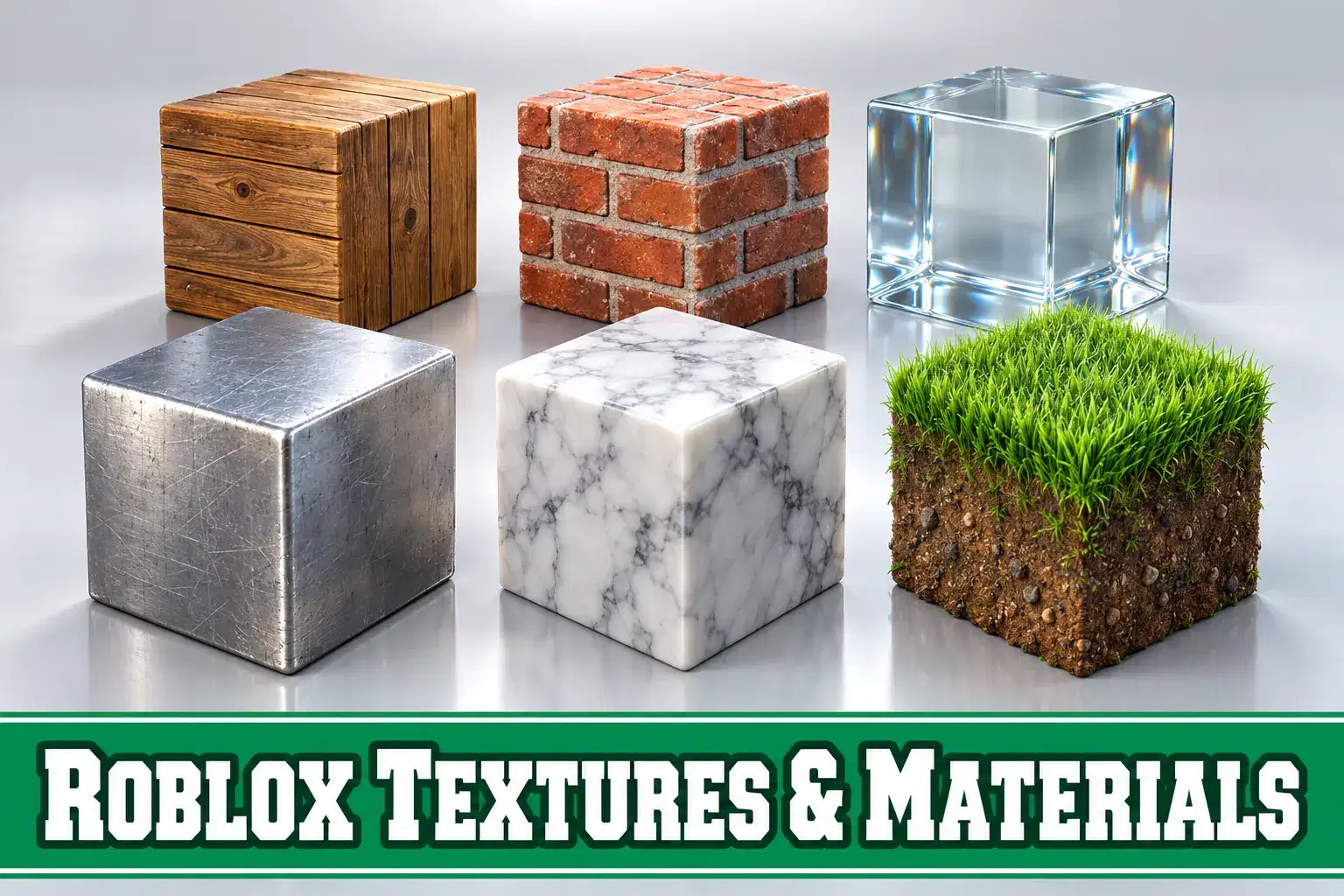
A four-week course on making Roblox builds look polished with materials, textures, decals and color. Learners upgrade a plain build into a detailed, professional-looking scene.
Paid once.
The difference between a basic build and an impressive one is often in the surface details. In this four-week course learners discover how materials, textures and color bring Roblox builds to life.
In week one learners explore Roblox's built-in materials, such as wood, brick, metal, grass and glass, and learn when each fits a scene. They experiment with material variants and reflectance. Week two introduces textures and decals, showing how to add patterns, signs and surface details to parts, and how to tile textures cleanly. In week three learners study color, building a palette for a scene and using contrast and value to guide the viewer's eye. They also practice weathering techniques, such as adding moss to stone or rust to metal, to make builds feel lived in.
The final week is a before and after challenge. Learners receive a plain gray building and transform it into a detailed scene, such as a cozy cafe or an old train station, using everything they have learned. They present side-by-side screenshots and explain their choices.
The teacher demonstrates each technique and gives specific feedback. The course suits learners who already build in Roblox and want their work to look more professional.
No coding is required. Learners should be comfortable with basic Studio building tools.
Each class introduces one surface technique with a demo. Learners apply it to their build and share before and after screenshots.
Week 1: Materials – Explore materials, variants and reflectance.
Week 2: Textures and Decals – Add patterns and tile textures cleanly.
Week 3: Color and Weathering – Build palettes and add moss and rust.
Week 4: Before and After Challenge – Transform a plain building into a detailed scene.
Choose materials that fit a scene
Apply textures and decals cleanly
Build a color palette using contrast and value
Use weathering to make builds feel lived in
Transform a plain build into a detailed scene
Comfortable with basic Roblox Studio building tools.
Bhavya brings a decade of focused Roblox Studio teaching to young creators and teen developers. She structures lessons around hands-on projects: younger students build cities, islands, arenas, and adventure maps through guided, non-coding design sessions, while older learners mov…
Tanvi Ghosh
Ages 7–11 · 55 min · 1 / Week
$19.00per classSee schedule
Ananya Sinha
Ages 11–14 · 55 min · 1 / Week
$19.75per classSee schedule
Bhavya Sharma
Ages 8–12 · 55 min · 1 / Week
$19.75per classSee schedule
Ramesh Ray
Ages 9–13 · 55 min · 1 / Week
$19.75per classSee schedule
Ramesh Ray
Ages 9–13 · 55 min · 1 / Week
$19.75per classSee schedule
Ananya Sinha
Ages 8–12 · 55 min · 1 / Week
$19.75per classSee schedule
Tanya Sinha
Ages 8–12 · 55 min · 1 / Week
$19.75per classSee schedule
Ananya Sinha
Ages 8–13 · 55 min · 1 / Week
$13.00per classSee schedule
Tanvi Ghosh
Beginner
Level
7–11
Ages
55 min
Duration
1 / Week
Classes
1
Weeks
Ananya Sinha
Intermediate
Level
11–14
Ages
55 min
Duration
1 / Week
Classes
8
Weeks
Bhavya Sharma
Beginner
Level
8–12
Ages
55 min
Duration
1 / Week
Classes
4
Weeks
Ramesh Ray
Intermediate
Level
9–13
Ages
55 min
Duration
1 / Week
Classes
8
Weeks
Ramesh Ray
Intermediate
Level
9–13
Ages
55 min
Duration
1 / Week
Classes
8
Weeks
Ananya Sinha
Beginner
Level
8–12
Ages
55 min
Duration
1 / Week
Classes
4
Weeks
Tanya Sinha
Beginner
Level
8–12
Ages
55 min
Duration
1 / Week
Classes
8
Weeks
Ananya Sinha
All Levels
Level
8–13
Ages
55 min
Duration
1 / Week
Classes
12
Weeks