By Miss Anna ·
Is AI Bad for Kids? Maybe That’s the Wrong Question
Is AI bad for kids? Learn when AI helps children learn, when it becomes a shortcut, and how parents can teach kids to use AI responsibly.
AI for Kids: What Children Should Actually Learn
An age-by-age guide for parents—from understanding AI to building real machine-learning projects.
A few years ago, when parents asked me what their child should learn about technology, the conversation was usually about coding. Should they start with Scratch? Is Python better? What age is right for coding? Now there is another question, and it is much harder: “What should my child learn about AI?” That sounds like a simple question until you start looking at what is being marketed as “AI for kids.” One course teaches children how to write better ChatGPT prompts. Another promises machine learning to eight-year-olds. Another teaches Python. Another has children train an image classifier without writing any code. And some programs simply let children use generative AI tools and call that “learning AI.”
These are not the same thing. The most useful way I have found to think about AI education is to separate it into four levels: Using AI → Understanding AI → Creating with AI → Building AI A six-year-old can begin understanding AI. A ten-year-old can absolutely create something with AI. A teenager can begin learning how machine-learning systems are actually built. But there is no educational advantage in rushing a child through those stages simply so we can say they are “learning AI.” In fact, the opposite may be true. The most important outcome is not that your child knows the latest AI tool. It is that they eventually understand what the machine is doing, what it is not doing, when to trust it, when not to trust it, and how to use technology to create something of their own.
That is the roadmap this guide is about.
First: AI is much bigger than ChatGPT
For many children today, “AI” means ChatGPT, Gemini, an image generator or perhaps an AI assistant inside a game or app. But generative AI is only one part of artificial intelligence. AI systems have been around children for years without necessarily announcing themselves as AI. YouTube recommending the next video. Google Photos identifying a face. A phone recognising speech. Netflix predicting what you might watch. A game adapting its difficulty. Spam being filtered from an inbox. A navigation app estimating traffic. Those are all examples of machines making predictions, classifications or decisions using data and algorithms.
This matters because the first thing children should understand about AI is: AI is not a magical machine that “knows everything.” It is a collection of systems designed to recognise patterns, make predictions, generate outputs or make decisions. That may sound obvious to an adult working in technology. It isn't obvious to a child. And increasingly, it isn't obvious to adults either. UNICEF's current guidance on AI and children specifically emphasizes preparing children with AI literacy while also protecting privacy, safety, fairness, transparency and human oversight. Its latest guidance is not anti-AI; it explicitly recognizes both the opportunities and the risks.
That balance is important. The goal isn't: Keep children away from AI. Nor should it be: Get them using AI as early as possible. The better goal is: Help children become increasingly intelligent users and eventually creators of AI-powered technology.
The four levels of AI learning
Before looking at ages, I would give every parent this framework.
Using AI
The child can use an AI-powered tool. Examples: asking a chatbot a question, generating an image, using an AI tutor, asking AI to explain a difficult concept, getting writing feedback. This requires very little understanding of how AI works. A seven-year-old could potentially do some of these things with adult supervision. But being able to use AI does not mean the child understands AI. That's roughly the same as saying a child understands computer science because they know how to use an iPad.
Level 2: Understanding AI
Now the child begins asking: Why did the computer give that answer? Where did it learn this? Can it be wrong? What is training data? Why does it recognise one image but not another? Could the data be biased? Why does an AI sometimes confidently say something false? This is AI literacy. And in my view, every child needs some version of it, regardless of whether they ever become a programmer. The AI4K12 initiative, which has been developing K–12 AI learning guidelines since 2018, organizes AI education around five broad ideas: Perception, How computers perceive the world.
Representation and reasoning How machines represent information and reason with it. Learning How systems learn patterns from data. Natural interaction How humans and AI systems interact. Societal impact How AI affects people and society. Notice what isn't on that list: “Prompt engineering.” Prompting can be useful, but it is only a tiny part of AI literacy.
Level 3: Creating with AI
Here the child starts using AI as a component inside something they build. For example: an app that identifies plants, a game with an AI character, an image classifier, a chatbot, a program that analyzes text an app that recommends something. This is where things become interesting educationally because the child's relationship to technology changes. They are no longer just asking: “What can AI do for me?” They're asking: “What can I build with AI?” MIT App Inventor is particularly interesting here because it allows even beginning programmers to create mobile applications using block-based programming, and its AI curriculum includes image classification, generative AI applications, facial filters, conversational AI and other projects.
That is a very different learning experience from simply giving a child a chatbot.
Level 4: Building AI
Eventually, a motivated teenager may want to understand the machinery underneath. Then the path starts looking more like: Python, → data, → statistics, → NumPy, → Pandas, → visualization, → machine-learning concepts, → scikit-learn, → neural networks, → deep learning, → computer vision/NLP → independent projects. Now we're talking about real machine-learning development. This is where mathematics becomes increasingly important. And it is where I would be wary of programs selling “professional AI” to children who have not yet learned basic programming.
There are ways for younger kids to understand machine learning conceptually without knowing calculus. But there is a large difference between: “I trained an image classifier.” and
“I understand the model, data, features, evaluation metrics, overfitting and why it behaves the way it does.”
Both experiences are valuable. They're simply different stages.
So what should a 6-year-old learn about AI?
Probably much less than an AI course advertisement would have you believe. At ages roughly 5–7, I would not begin with ChatGPT prompts or machine-learning libraries. I would begin with ideas. A child should gradually understand: Computers follow instructions. Computers can sometimes find patterns. Computers can recognize some things after being shown many examples. Computers don't think exactly like people. Computers can make mistakes. People decide how technology gets used. You can teach these concepts without even opening a laptop.
For example, play a classification game. Put cards on a table: dog, cat, car, airplane, rabbit. Ask the child to sort them. Then ask:
“How did you know which ones were animals?”
They may say they have eyes, they move, they're alive, they have legs. Then introduce a strange example: a whale. It doesn't have legs. Now the child discovers something fundamental:
Another activity: Show ten pictures of apples.
Ask: What do these have in common? Then show an unusual green apple. Then an apple sliced in half.
Then a toy apple. At what point does recognition become difficult? You are starting to build intuition around data and perception.
No Python required.
Ages 7–9: Let children see how machines “learn”
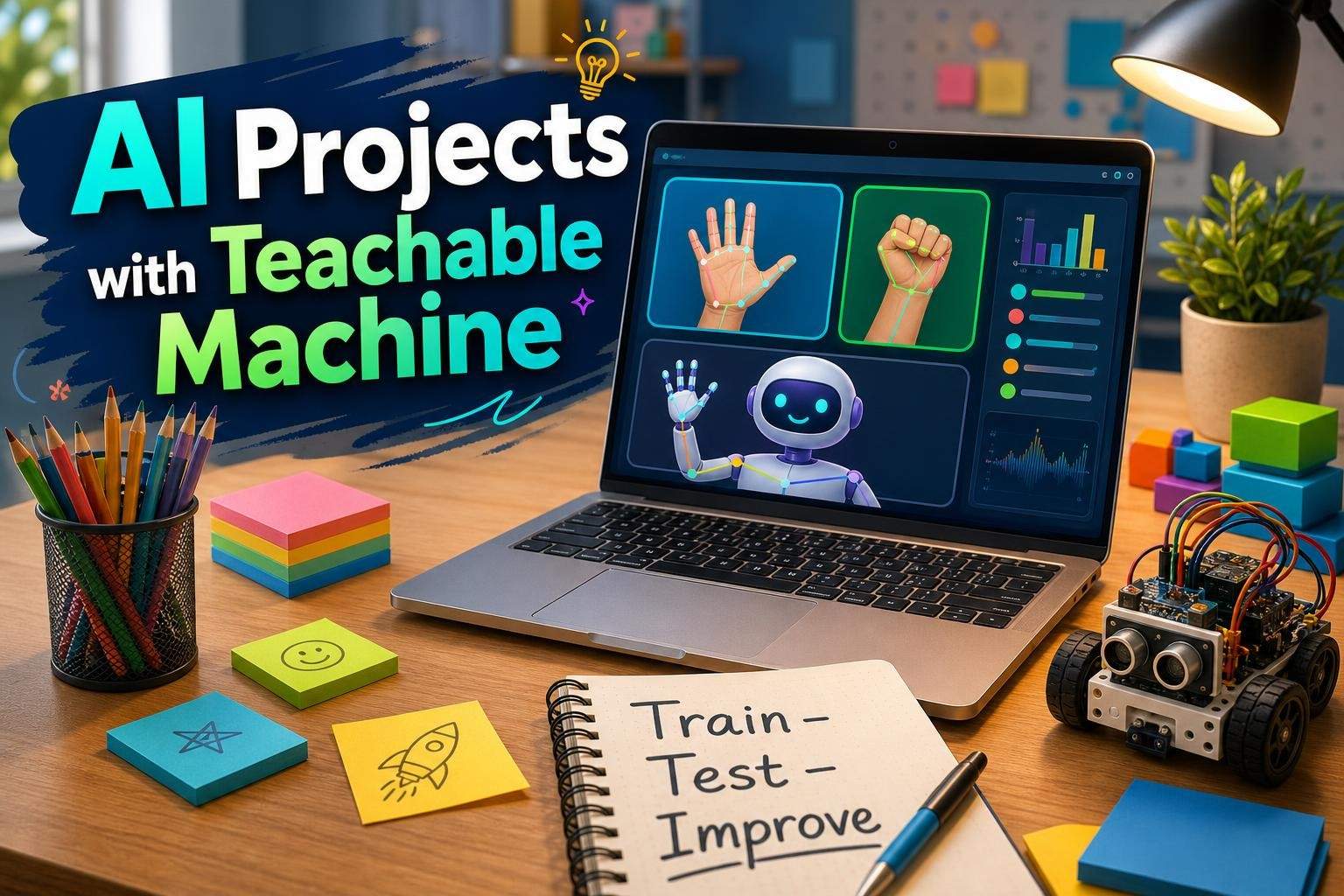
This is a good age for experiential AI. One of the best examples is Google's Teachable Machine, because a child can train a simple model using images, sounds or poses without first learning a programming language. Imagine a child trains a model with two categories: Thumbs up and Thumbs down. They collect examples using a webcam. Then they test it. At first it works beautifully. Then they try: a hand at an angle, a darker room, a different person, a partially covered hand. Suddenly the system makes mistakes. That's the lesson.
Not:
“Look! We built artificial intelligence!”
The real lesson is: The quality and variety of examples affect the model's performance. Now ask: Why did it fail? Did we give it enough examples? Were all our training images too similar? Would it work equally well for another person? What if the lighting changes? This is where a child starts understanding training data. And that idea becomes incredibly important later.
A small experiment every parent can try
If your child has access to a simple image-classification tool, deliberately build a bad model. Suppose you're teaching it to recognise: pencils vs pens. For every pencil photo, use a white desk. For every pen photo, use a dark desk. The model may learn: white background = pencil; dark background = pen. It appears to be recognising the object. But it has actually learned the wrong pattern. Now put a pencil on the dark desk. If it fails, you have just demonstrated one of the most important concepts in modern machine learning:
Ages 8–11: Introduce bias, mistakes and hallucinations
By this age, many children will already encounter generative AI, whether parents formally introduce it or not. So rather than pretending they won't use it, teach them how to question it. I would introduce a simple habit:
Instead of: Ask AI → copy answer. For example: Ask AI: Why is the sky blue? Then ask the child to verify the explanation using another trusted source. Then ask: Did both explanations agree? Was something missing? Which explanation was easier to understand? Now ask AI a question where it is more likely to make a mistake. Perhaps something niche about a local school, a made-up historical person or an intentionally false premise. Children are often surprised when an AI confidently invents an answer. That's exactly the point. They need to learn:
UNICEF's 2025–26 work on children and AI repeatedly emphasizes transparency, privacy, human oversight, safety and age-appropriate design, and it notes that children's actual AI use is moving faster than the evidence about its long-term effects. That uncertainty itself is something parents should know. You don't need to panic. But you also shouldn't treat AI interaction as completely neutral.
Should children use ChatGPT to do homework?
This is where parent discussions often become too binary. One parent says: “Absolutely not. They'll stop thinking.” Another says:
“They need to learn AI because that's the future.”
Both can be partly right. The question should really be: what cognitive work is the child outsourcing? Suppose a child has to write an essay. There are very different ways to use AI.
Now AI is functioning more like a debate partner, a tutor, an editor, a question generator. The child is still doing the intellectual work. That distinction should become part of AI literacy. I would teach children: Use AI to extend your thinking, not replace the thinking you are supposed to be learning. That is a rule simple enough for a ten-year-old to remember.
Ages 9–12: Move from user to creator
This is where I would deliberately shift AI education toward building projects. MIT App Inventor can be a useful bridge because children can create real mobile applications using visual blocks rather than jumping immediately into Python syntax. Its AI resources currently include projects such as image classification, facial filters, conversational applications and generative-AI apps, including middle-school-level activities. MIT's broader App Inventor philosophy is explicitly about moving young people from technology consumption to technology creation.
That is exactly the shift I would want. Instead of “Use this image classifier,” try:
Build a recycling sorter
The child takes photos of paper, plastic and metal. Then trains a classifier. Then builds an app around it. Now several questions emerge naturally. What if the object belongs to multiple categories? How much training data is enough? What if the camera angle changes? What happens when the model isn't confident? Should the application tell the user: “I'm not sure”? Now we're learning: classification, confidence scores, data quality, user-interface design, error handling. That's becoming real computing.
Another project: Build a “healthy snack” classifier
This can become even more interesting. Ask the system to classify foods as:, healthy less healthy.
Immediately the child encounters a problem. Who decides? Is juice healthy? Is peanut butter? What about allergies?
What does “healthy” even mean? Suddenly the project moves from technology into:
Ages 11–14: If they are serious, introduce Python
At some point block-based environments become limiting. Not because blocks are “baby coding.” Because the child wants to build things that the environment doesn't support easily. This is when Python becomes useful. But I would not begin a teenager's AI journey with:
from sklearn.ensemble import RandomForestClassifierand tell them they've learned AI. They need a foundation first. A sensible path is Python basics, then data, then machine learning.
Variables, strings, numbers, conditions, loops, functions, lists and dictionaries. Then data.
Reading CSV files, sorting/filtering, basic statistics and visualization. Then tools such as NumPy, Pandas and Matplotlib.
Only after that would I systematically introduce machine learning.
Why data comes before machine learning
Parents often hear “AI” and focus on models. But anyone working seriously with machine learning quickly discovers something less glamorous:
Visualising it. Checking whether one group is underrepresented. This makes data science an excellent precursor to machine learning.
Take a sports-loving teenager. Give them a basketball dataset. Ask: Which statistics are most strongly associated with winning?
Can we visualize shooting percentage across teams? Does home-court advantage appear in our data?
Can we predict something? Now the student has a reason to learn Pandas. They aren't learning a library because the curriculum says:
“Lesson 8: DataFrames.” They're learning it because:
“I want to answer this question, and this tool helps me answer it.”
That is a much stronger learning experience.
Ages 13–16: Start real machine learning
Once a teen is reasonably comfortable with Python and data, machine learning can become much more meaningful. Start with a very simple distinction.
We write rules. Rules + Data → Answer. For example: if temperature is below 0, say “freezing”.
We give the system examples. Data + Answers → Learned Model. Then: New Data + Model → Prediction.
That mental model helps enormously. Then introduce supervised learning, unsupervised learning, classification and regression.
First serious ML project: Predict something
Suppose a teenager has housing data:, size bedrooms location age of house sale price. We can try to predict:, price.
Now concepts appear naturally. What information should we use? Which variables matter? How do we divide data into training and testing sets?
How accurate is our model? Does it work on homes it has never seen? This leads to:
The concept children should learn early: overfitting
Imagine a student gets: 99.9% accuracy on training data. They celebrate. Then the model performs terribly on new examples. That's an excellent educational moment. The model has memorised too much. It hasn't learned a useful general pattern. This is overfitting. And it gives students a broader lesson: Performing perfectly on practice material doesn't necessarily mean you can solve a new problem. Not a bad lesson beyond machine learning either.
Ages 14–18: Build a real AI portfolio
At this stage, the objective should stop being: “Complete the AI course.” Instead:
Build progressively harder things.
Classification
Iris flower classifier. Good for understanding the process, although admittedly not very exciting.
Something connected to an interest
Sports outcome predictor. Movie recommender. Music analysis. Spam detector. Game-player behaviour analysis.
Computer vision
Image classification. Object detection.
Natural-language project
Sentiment analysis. Text classifier. Basic chatbot system.
Independent problem
Find a problem. Find or collect data. Design the solution. Choose the model. Evaluate it. Document failures. Publish the project. The fifth project matters much more than completing ten tutorials.
What does “professional-level” progression eventually look like?
This is where I would be careful with language. A teenager can absolutely reach an impressive level. They can build genuine applications, work with real datasets, contribute to open-source projects, publish code, participate in competitions and even build products. But “professional developer” isn't a programming language. It includes habits. A serious progression eventually needs: Python, Git/GitHub, command line, debugging, testing, reading documentation, APIs, databases, data structures, algorithms, software design, deployment, collaboration, code review.
Then, for AI/data specialization: NumPy, Pandas, SQL, statistics, probability, data cleaning, visualization, scikit-learn, feature engineering, model evaluation, deep learning frameworks deployment/MLOps later. That is very different from: Scratch → Python → AI certificate.
A practical AI mastery roadmap
This is the visual I would put into the actual Undoschool article:
AI Awareness
AI Explorer
AI Creator
Programmer
Data Explorer
Machine-Learning Builder
AI Developer
CREATOR
“I can identify a problem, decide whether AI is appropriate, build a solution and evaluate whether it actually works.”
That's a much more meaningful destination than: “My child knows AI.”
How do I know whether my child is ready to move to the next stage?
This is probably more useful than giving strict ages.
want greater control over what they are building, understand sequences/logic, are comfortable debugging, and can persist when something doesn't immediately work.
understand variables and loops, can write simple functions, can use lists/dictionaries, can read an error message without panicking, and can independently build a small Python project.
can manipulate simple datasets, understand graphs/averages/percentages, understand training versus testing conceptually, and are interested in prediction or data.
are comfortable with Python, understand basic statistics/probability, have built traditional ML projects, and actually want to understand what is happening beneath the library calls.
Notice: None of these checkpoints say “because they turned 13.” Age helps us choose an entry point. Mastery and motivation should determine progression.
What about AI coding assistants?
This deserves much more attention than most kids' coding guides give it. A child today can ask AI: Build me a Python game. and receive hundreds of lines of working code. Does that mean coding is no longer worth learning? I would argue the opposite. AI changes what level of programming competence matters. Memorizing syntax becomes less important. Understanding: architecture, logic, debugging, systems, requirements, tradeoffs testing becomes more important. An AI assistant may write:
for player in players:So I would give students one rule:
Should an 8-year-old learn prompt engineering?
Not as a standalone “career skill.” They should learn something broader:
For example, teach the difference between: “Tell me about dinosaurs.” and:
“I am nine years old. Explain why dinosaurs became extinct using three possible theories, and tell me which theory scientists currently have the strongest evidence for.”
That's useful. But even more useful is: How do I know whether the answer is true? Prompt quality without verification ability simply helps a child get more convincing-looking information. That isn't enough.
What should kids know about AI safety?
At minimum:
Verify important claims.
Children need increasingly strong media literacy.
Models learn patterns from data created by humans and society.
UNICEF's 2026 policy work addresses AI chatbots and companions used by children for advice and emotional support. A chatbot may sound caring. That doesn't make it a person who understands you in the human sense.
Good AI learning platforms and resources by stage
I would make a full comparison table in the final website version, but broadly:
AI4K12 for structured AI literacy concepts, organized around age/grade progression and the Five Big Ideas. Day of AI, powered by MIT RAISE, for free PreK–12 AI literacy curriculum and family resources.
MIT App Inventor for children who want to build functioning apps before they are ready for text-heavy programming, including dedicated AI projects.
Python for data science/ML. Then Kaggle, scikit-learn, and later TensorFlow / PyTorch when the project demands them.
So should every child learn machine learning?
No. I don't think every child needs to become an ML engineer. Just as every child should understand biology but doesn't need to become a surgeon. I would argue that all children increasingly need: AI literacy, critical thinking, data awareness, privacy awareness, verification habits understanding of algorithmic influence. Children who enjoy making things should also experience: coding, automation AI-assisted creation. And children who become genuinely interested can go much further into: software engineering, data science, machine learning, AI engineering.
That distinction prevents us from turning AI anxiety into another educational arms race.
A parent's biggest mistake: choosing the most advanced-looking course
Imagine two ten-year-olds.
Which child is further ahead? I would choose Child B. Almost every time. Because the eventual leap from blocks to Python is teachable. Curiosity, confidence, persistence and the instinct to build are much harder to manufacture later.
What I would want my own child to learn
If I were planning an AI education from childhood through the teenage years, I would optimize for this sequence: First, curiosity. Can technology do this? Then, understanding. Why did it behave that way? Then, creation. Can I make something? Then, programming. Can I control it more precisely? Then, data. How does information shape the result? Then, machine learning. Can I create a model that makes useful predictions? Finally, engineering judgment. Should AI even be used for this problem? Is my result good? Is it fair? Is it safe? Can people trust it?
That final stage matters. Because the best future programmer will not necessarily be the person who can write the most code. AI may write much of the code. The valuable person will increasingly be the one who knows: what should be built, how it should work, whether it actually works, and what consequences it creates.
The bigger goal
A child who grows up with AI should not be impressed simply because a computer can produce something. They should ask: Where did this come from? How does it know? Could it be wrong? What data is being used? Who benefits? Could I build something better? That is the kind of AI literacy worth teaching. And for the children who fall in love with building, there is a real mastery pathway: Blocks → Programming → Python → Data → Machine Learning → AI Engineering. But we don't need to push them to the end at age ten. We need to make sure they keep wanting to take the next step.
Further reading
For parents who want to go deeper, these are useful places to start.
Particularly its sections on safety, privacy, fairness and child development.
Useful for understanding what a serious K–12 AI curriculum should contain.
Examples of what children can actually build rather than merely consume.
Free grade-by-grade AI literacy resources from PreK through Grade 12.