Compare programs & platformsAges 6–146 min read
By Alexis Morgan ·
ChessKid vs Live Chess Lessons: Which Helps Kids Improve?
Learn what ChessKid does well, how its free and Gold accounts differ, and the signs your child needs a live chess coach to break a plateau.
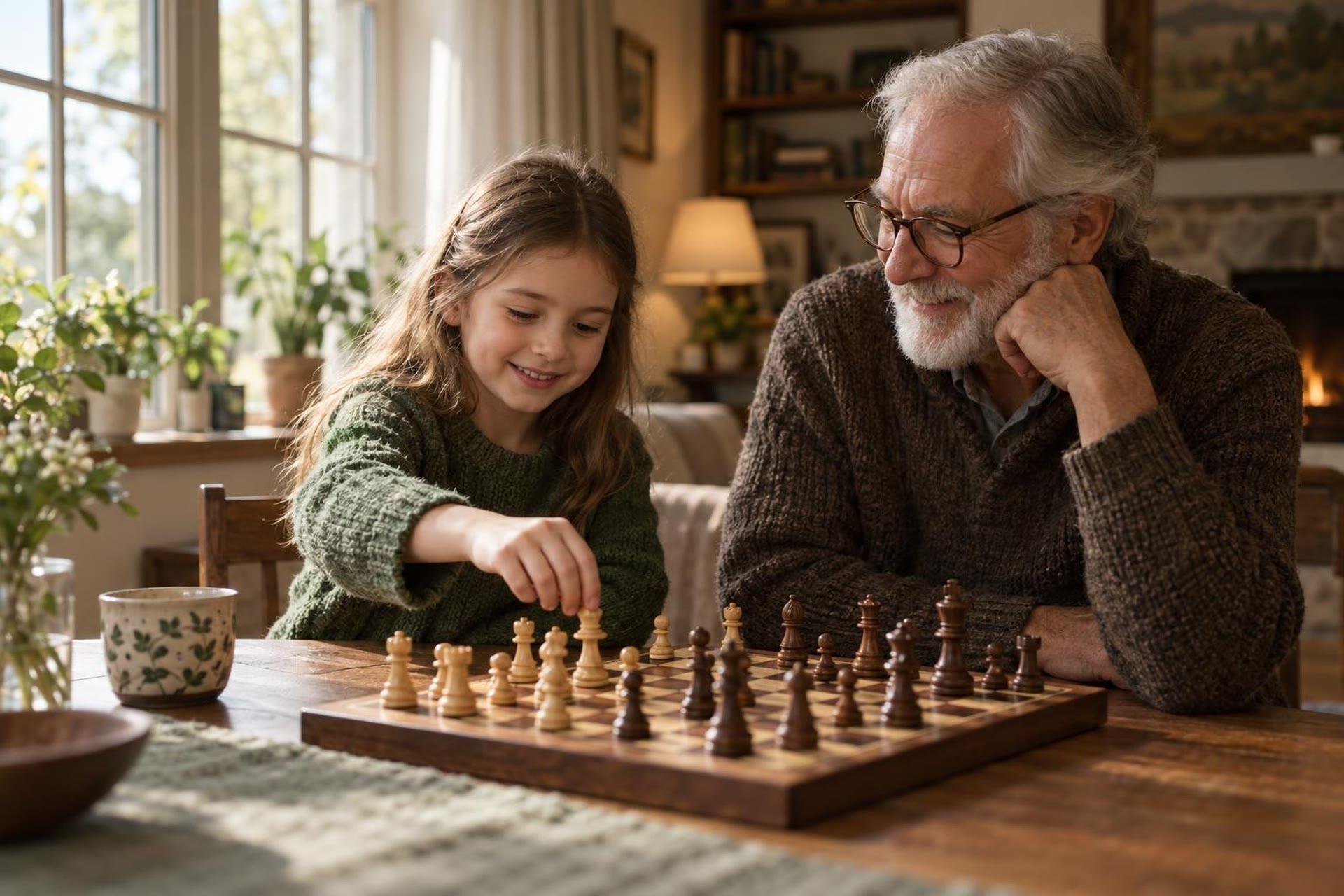
ChessKid is a strong place for kids to learn the rules, practice tactics and play safely online, and for many beginners it is all they need for a while. A live chess teacher helps most when your child has stopped improving, keeps losing the same way, or wants to prepare for tournaments. You can also combine the two: an app for practice and a coach for direction.
Use ChessKid for lessons, puzzles, games against bots and safe games with other kids. Add a live coach when your child plateaus, repeats the same mistakes, or needs help reviewing their own games. A coach can see patterns in how your child thinks that an app can't.
What ChessKid offers
ChessKid calls itself the largest chess site for kids. Its complete guide to ChessKid describes the main features:
- Lessons. Each lesson includes a video and activities, and kids level up as they finish them.
- Puzzles. A large library you can filter by theme, plus Puzzle Duel, a two-minute race against another kid.
- Bots. Computer opponents with different personalities, with an optional Coach Mode.
- Games with kids. Fast Chess against friends or kids worldwide, and Slow Chess for longer games with friends, parents or coaches.
- Events. Monthly live events such as the ChessKid Monthly Championship.
Free and Gold accounts
ChessKid's help article on memberships explains that a free Basic account includes live play and a taste of other features, with limits such as 3 puzzles a day, bot levels 1 to 3 and beginner lessons only. Gold unlocks unlimited puzzles, all lesson levels, all videos and a full game archive. Check the ChessKid site for current membership prices.
How ChessKid handles safety
Safety is a big reason families choose ChessKid. Its safety features page says "Adult accounts cannot talk to kids. Ever." Kids can't message or chat with each other, even if they're friends.
- Guardians can message their own kids and read their messages.
- Guardians can turn off a child's ability to add friends.
- Guardians control which clubs a child joins.
For more on playing online, see our guide on how kids can play chess online safely.
 A live class on thisAdvanced Chess Openings, Tactics & EndgamesAges 8–12
When an app is enough
An app like ChessKid can carry a child a long way, especially early on. It is likely enough if your child:
- Is still learning how the pieces move and basic checkmates.
- Plays for fun and isn't chasing a rating or tournament results.
- Keeps improving month to month and enjoys the lessons.
- Does puzzles happily on their own.
At this stage, the main job is regular, enjoyable practice. Short puzzle sessions and a few games a week build pattern recognition, which is the base of good chess.
A simple weekly rhythm helps: a few puzzle sessions, one or two lessons, and some longer games where your child takes time on each move. Sit in on a game now and then and ask your child to explain one move out loud.
When a coach breaks a plateau
Many players hit a stretch where they play a lot but stop getting better. Apps can show what the best move was. A coach can explain why your child keeps missing it.
Signs it is time for a live teacher
- Same mistake, different game. Hanging pieces, rushing, or losing in the opening again and again.
- Lots of games, no progress. Playing more isn't moving results.
- Frustration. Losses feel personal and your child wants to quit.
- New goals. Your child wants to play in school or rated tournaments.
What a coach does that an app can't
- Reviews your child's own games. The coach asks what your child was thinking and fixes the habit behind the move.
- Builds a plan. Openings, endgames and tactics in the right order for your child.
- Teaches calm thinking. Habits like checking threats before every move, and slowing down.
- Keeps motivation up. A person cheering progress matters, especially after a rough tournament.
ChessKid itself supports this kind of teaching. Its coaching page describes tools for coaches to set up clubs, assign lessons, track progress and review games with students.
Group class or private coach: how to choose
Live chess lessons come in two main shapes. Each suits a different child.
- Small group classes work well for kids who enjoy company. They play each other, hear other kids' ideas and learn that everyone loses sometimes.
- One-to-one lessons suit kids with specific goals, like preparing for a tournament, or kids who need the coach's full attention to stay focused.
Questions to ask a new coach
- What level and ages do you usually teach?
- Will you review my child's own games?
- What practice should my child do between lessons, and on which app?
- How will we know my child is improving?
Bring two or three of your child's recent games to the first lesson. It gives the coach a quick picture of where to start.
ChessKid and live lessons compared
| Question | ChessKid on its own | Live chess lessons |
|---|---|---|
| Best stage | Beginners and casual players | Kids who have plateaued or want to compete |
| Feedback | Automatic, move by move | Personal, on thinking habits and plans |
| Practice volume | High: puzzles, bots and games any time | Lower in class; coach assigns practice |
| Social side | Games with kids, no chat | Talk with a teacher and, in groups, peers |
| Cost | Free Basic account; Gold membership for full access | Set by each coach; group classes often cost less than private lessons |
- Speed chess only: Lots of quick games can build rushing habits. Mix in slower games.
- Rating stress: Focus on effort and lessons learned, not numbers.
- Too much screen time: Keep a real board at home for slow games with family.
- Coach fit: Pick a coach who teaches your child's level and age, and ask for a trial lesson.
Frequently asked questions
Is ChessKid free?
ChessKid has a free Basic account with live play and limited access to puzzles, lessons and bots. A Gold membership unlocks everything.
Can kids chat with strangers on ChessKid?
No. ChessKid says adult accounts can't talk to kids, and kids can't message or chat with each other. Guardians can message their own kids.
What age should a child start chess lessons?
There is no fixed age. Lessons with a teacher make sense once your child knows the rules and enjoys playing full games.
Should my child keep using ChessKid with a coach?
Yes, if they enjoy it. A coach can point your child to the right puzzles and lessons, and ChessKid gives them plenty of practice between classes.
Find a chess teacher for your child's level
Live chess classes help kids review their games, learn new strategies and play with others at their level, with a teacher guiding the way.