




Roblox GUI Scripting: Code Menus, Buttons and Scoreboards
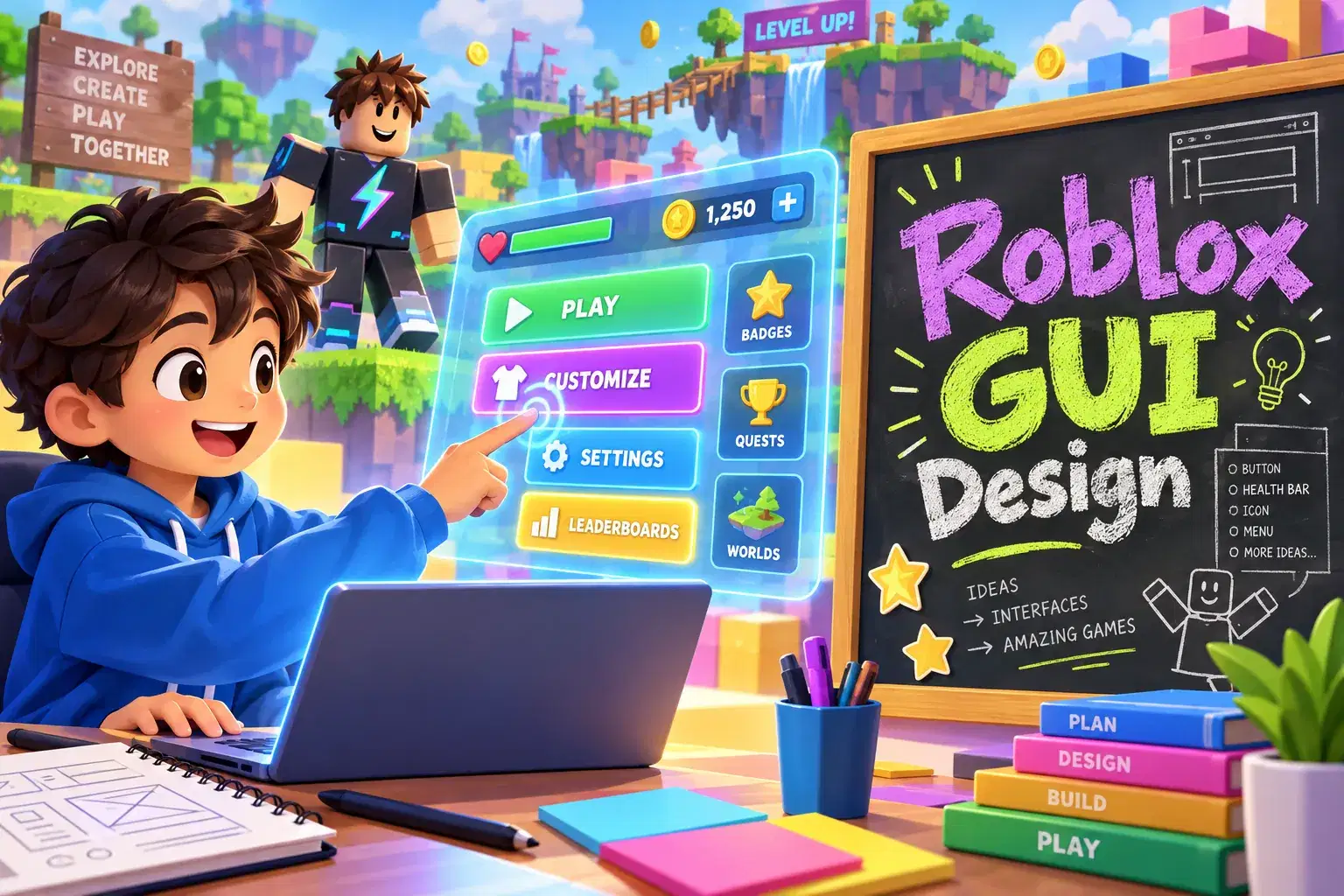
Over eight weeks learners design and script on-screen interfaces in Roblox Studio. They build start menus, clickable buttons, health bars and scoreboards that update as players play.
Paid once.
- Level
- Intermediate
- Ages
- 9–13
- Duration
- 55 min
- Classes
- 1 / Week
- Weeks
- 8
- Not satisfied after the first class? Full refund.
- Pay weekly, or upfront
- 100% Safe & Secure Checkout
Class Experience
A great game needs more than a world. It needs clear menus, buttons and displays that tell players what is happening. In this eight-week course learners design and code the user interface for their own Roblox game.
Learners start with ScreenGuis, Frames and TextLabels, arranging them so they look good on different screen sizes. They then write LocalScripts that respond to button clicks, open and close menus, and switch between screens such as a title screen and a shop page. Midway through the course learners build a health bar that shrinks when a player takes damage and a coin counter that updates in real time.
In the final weeks learners create a scoreboard using leaderstats and add simple animations to their interface so buttons grow when hovered over. They also learn basic interface design principles, including readable fonts, consistent colors and clear labels, so their games feel polished and easy to use.
The teacher demonstrates each element step by step and explains the difference between scripts that run on the server and on the player's device. Learners build their interface pieces in their own project and receive feedback on both design and code.
By the end every learner has a game with a working start menu, live score display and at least one interactive panel. Learners should know basic Lua before joining.
How classes work
Each week the teacher demonstrates one interface feature and the code behind it. Learners build it into their own game, then customize the look and share it for feedback.
What we'll cover
Week 1: ScreenGuis and Layout – Arrange Frames and TextLabels that fit different screen sizes.
Week 2: Clickable Buttons – Script buttons with LocalScripts that respond to clicks.
Week 3: Menus and Screens – Open, close and switch between a title screen and shop page.
Week 4: Health Bars – Build a health bar that shrinks when the player takes damage.
Week 5: Live Coin Counter – Show a coin count that updates in real time.
Week 6: Scoreboards – Create a leaderboard with leaderstats.
Week 7: Interface Animation – Add hover and click effects so the interface feels polished.
Week 8: Design Review and Showcase – Apply design principles and present the finished interface.
Learning Outcomes
Design on-screen interfaces with ScreenGuis and Frames
Script buttons and menus with LocalScripts
Build health bars and coin counters that update live
Create a leaderboard with leaderstats
Apply simple design rules for clear readable interfaces
Prerequisites
Basic Lua knowledge including variables, functions and events. Roblox Studio installed.
Available Times (0 available)
Loading available class times…
Meet your Instructor
With over two decades of experience teaching coding and game design, this instructor leads hands-on, project-focused lessons that introduce Lua scripting and Roblox Studio fundamentals. Background includes classroom teaching, professional software development, and published app e…
Reviews
More Roblox Studio classes
Lua in 30: Bite-Size Roblox Scripting
Neha Singh
Ages 9–12 · 30 min · 1 / Week
$19.67per classSee schedule
Roblox Quick Builds: 30-Minute Obby Club
Mrs. Riya Dixit
Ages 7–10 · 30 min · 1 / Week
$13.00per classSee schedule
Roblox Girls Build Kind Worlds: Design a Welcoming Game Space
Ishita Nair
Ages 8–12 · 55 min · 1 / Week
$19.75per classSee schedule
Roblox Team Leadership Club: Run Group Build Projects
Ishita Pillai
Ages 10–14 · 55 min · 1 / Week
$13.00per classSee schedule
Roblox 1-on-1 Lua Coaching: Build Your Dream Game
Tanvi Kapoor
Ages 9–15 · 55 min · 1 / Week
$20.25per classSee schedule
Roblox Survival Game 1-on-1: Build Your Own Survival World
Shreya Reddy
Ages 9–14 · 55 min · 1 / Week
$20.25per classSee schedule
Roblox Racing Game 1-on-1: Personal Coding Coaching
Vaishnavi Mukherjee
Ages 8–14 · 55 min · 1 / Week
$20.25per classSee schedule
RK
Raj Kazi
Roblox Avatar Design Mini-Class
Beginner
Level
8–11
Ages
30 min
Duration
1 / Week
Classes
1
Weeks
$19.00per class
See scheduleNS
Neha Singh
Lua in 30: Bite-Size Roblox Scripting
Beginner
Level
9–12
Ages
30 min
Duration
1 / Week
Classes
6
Weeks
$19.67per class
See scheduleMR
Mrs. Riya Dixit
Roblox Quick Builds: 30-Minute Obby Club
Beginner
Level
7–10
Ages
30 min
Duration
1 / Week
Classes
12
Weeks
$13.00per class
See scheduleIN
Ishita Nair
Roblox Girls Build Kind Worlds: Design a Welcoming Game Space
Beginner
Level
8–12
Ages
55 min
Duration
1 / Week
Classes
4
Weeks
$19.75per class
See scheduleIP
Ishita Pillai
Roblox Team Leadership Club: Run Group Build Projects
All Levels
Level
10–14
Ages
55 min
Duration
1 / Week
Classes
12
Weeks
$13.00per class
See scheduleTK
Tanvi Kapoor
Roblox 1-on-1 Lua Coaching: Build Your Dream Game
Mixed Level
Level
9–15
Ages
55 min
Duration
1 / Week
Classes
12
Weeks
$20.25per class
See scheduleSR
Shreya Reddy
Roblox Survival Game 1-on-1: Build Your Own Survival World
Mixed Level
Level
9–14
Ages
55 min
Duration
1 / Week
Classes
12
Weeks
$20.25per class
See scheduleVM
Vaishnavi Mukherjee
Roblox Racing Game 1-on-1: Personal Coding Coaching
Mixed Level
Level
8–14
Ages
55 min
Duration
1 / Week
Classes
12
Weeks
$20.25per class
See schedule