By Charlotte ·
How to Turn Roblox Into a Creative Learning Activity
Help your child move from playing Roblox to building in Roblox Studio with simple project ideas, parent coaching prompts, and practical boundaries.
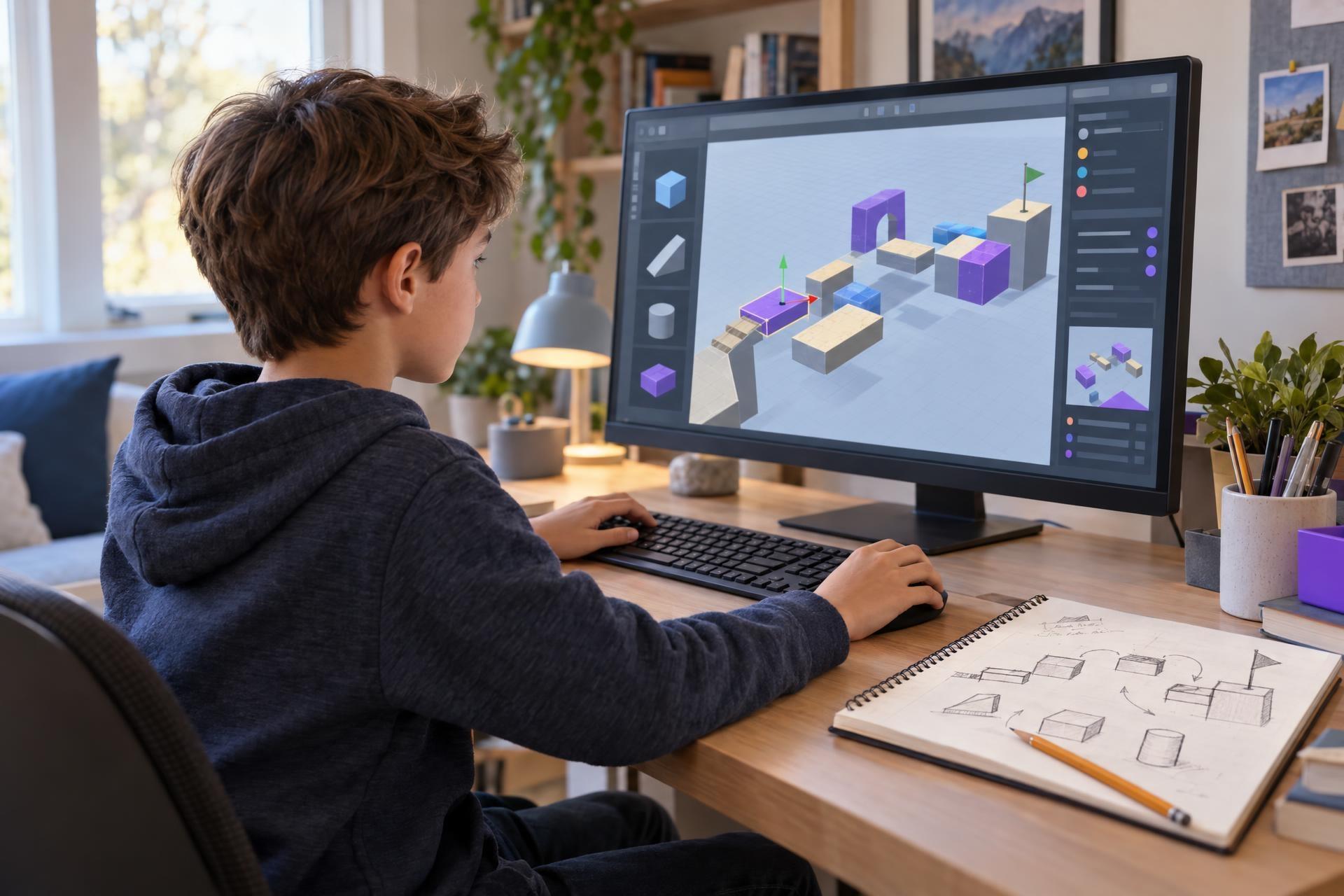
When Roblox comes up at home, the conversation often starts with a timer: How long has my child been playing? That is a reasonable question. But for children who genuinely love the platform, there is another useful one to add: What could they make with it?
Roblox is a platform that hosts many user-created experiences, not one single game. Alongside playing those experiences, children can use Roblox Studio, a separate free creation tool, to build and test their own 3D worlds. With a small project and some family guardrails, time on Roblox can include planning, design decisions, troubleshooting, beginner coding, and revision.
Roblox can become more purposeful screen time when a child uses Roblox Studio to make and improve a small project with a clear goal. Start with something manageable—such as one obstacle-course section, a maze, or a small story world—then encourage them to test it and make one revision. Coding can be part of the process through Luau, Roblox Studio’s text-based scripting language, but it does not have to come first. Creation still needs limits, supervision, breaks, and thoughtful account settings.
That does not make every minute on Roblox educational, and it does not remove the need for limits, supervision, or online-safety conversations. The difference is purpose. A child who has a manageable goal—such as building one obstacle-course level and improving it after a test—has moved from simply consuming an experience to making one.
The shift: from “What did you play?” to “What are you building?”
Playing a game can be entertaining, social, and sometimes inspiring. Creating a game asks a different set of questions:
- Who is this experience for?
- What should the player do first?
- What makes the challenge interesting without making it frustrating?
- How will the player know where to go?
- What happens when something does not work as intended?
These are game-design questions, and children can begin exploring them before they write a line of code. A maze needs clear paths and a goal. A scavenger hunt needs clues that make sense. A virtual animal-rescue space needs signs or landmarks that help visitors understand what to do.
Roblox Studio can also introduce older beginners to text-based scripting with Luau, the scripting language used in Roblox Studio. But coding does not have to be the entry point. A child can first learn by arranging a space, building a simple route, testing it, and noticing what a player experiences. A script can come later as one tool for making an idea interactive.
What makes Roblox creation more purposeful?
Creation time is still screen time. Its value comes less from the name of the platform and more from the activity around it: a clear goal, an achievable scope, time to reflect, and a chance to improve the work.
| Mostly consumption | Purposeful creation |
|---|---|
| Moving from one experience to another without a plan | Working toward one small, defined project goal |
| Reacting to what the game provides | Making choices about goals, instructions, challenge, and layout |
| Stopping when a task is difficult | Troubleshooting one problem or trying a different approach |
| Keeping the experience private and unexamined | Inviting a trusted tester and responding to one piece of feedback |
This is not a judgment on play. Children need downtime, and play can be valuable in its own right. The point is to be precise: Roblox becomes a creative learning activity when a child is making and improving something, not simply because the platform is open on a screen.
A realistic three-project starter path
The fastest way to turn a child off creation is to begin with “Make a huge game.” A better first goal is a tiny experience another person can actually try. Roblox’s introductory materials describe Studio as a place to build, script, and test projects; its beginner lessons also include concepts such as playtesting, variables, and loops. Start with the design work your child can finish, then add complexity gradually.
Build one playable obstacle-course section
An obstacle course is approachable because the player’s goal is obvious: get from the start to the finish. Challenge your child to make just three obstacles—not thirty. For example: a short stepping-stone path, a low wall to climb around, and a final jump to a finish platform.
Then ask them to test each obstacle. Is a jump too wide? Is the starting point clear? Can a new player tell what counts as success? The goal is not a polished game. The goal is one section that someone else can play.
Add one interactive feature
Once the basic space works, add one small interaction. Depending on your child’s readiness and the guidance they are using, that might be a platform that changes color, a door that opens after a task, or a button that triggers a simple event.
This is a natural place to explore beginner Luau scripting. A child does not need to understand every part of a script immediately. Ask them to explain the cause-and-effect idea: “What action triggers this?” and “What is supposed to happen next?” That explanation matters more than memorizing terms.
Playtest, observe, and revise
Invite a family member or trusted friend to try the project while the creator watches. The creator should resist jumping in right away. Instead, they can notice where the tester pauses, gets lost, misses an instruction, or laughs because something works especially well.
End the session with one specific revision:
- Move a sign so players see it sooner.
- Make a jump slightly easier.
- Add an arrow to show the intended path.
- Change the order of two obstacles.
That small cycle—build, test, adjust—is one of the most meaningful parts of making a game. It teaches children that feedback is information, not a verdict on their ability.
How parents can help without learning to code
You do not need to know Roblox Studio or Luau to be helpful. Think of your role as a project coach, not a technical support desk. Your job is to provide structure, curiosity, and encouragement when a child hits a snag.
Helps your child consider a player beyond themselves.
Focuses attention on clear instructions.
Invites your child to articulate a design choice.
Turns feedback into an observable problem.
Keeps the next step manageable.
It can also help to ask for a brief demonstration instead of a broad report. “Show me the one feature you worked on today” is easier to answer than “What did you do on the computer?” A two-minute show-and-tell gives children a reason to explain their work and gives you a window into how they are using their time.
Keep safety and boundaries in the plan
Creative use does not make Roblox risk-free. Roblox includes user-generated experiences and social features, so account choices and family rules still matter. Before setting up a creation routine, review the current options available through Roblox’s parental controls, including content settings, communication settings, spending controls, game controls, and daily screen-time limits. The settings should fit your child and your family—not someone else’s household.
It is also worth checking the practical setup before promising a Studio project. Roblox Studio is free, but device requirements can change; Roblox’s introductory education material lists Windows or Mac computers for its beginner Studio lesson. A tablet that works for playing may not be the right setup for building.
Keep publishing a separate decision. Building and testing a project does not mean a child needs to share it publicly. Treat privacy, communication, spending, and publishing choices as family conversations.
Useful family agreements may include:
- Studio sessions happen in a shared space when possible.
- A child asks before changing privacy, communication, or spending settings.
- New projects stay small until an earlier project has been tested.
- Breaks, homework, sleep, and offline activities remain protected.
- Publishing or sharing work is a family conversation, not an automatic next step.
What parents can do next
Success is not a viral game, a perfect script, or a child suddenly deciding they want to become a software engineer. Those are outcomes no parent needs to promise. A successful first session may be much simpler: your child makes a small course, discovers that one jump is impossible, watches someone test it, and fixes the problem.
The aim is not a perfect game. It is a small idea that a child can build, test, explain, and improve.
- Choose one small project idea your child can finish, such as three obstacles, a maze, or a sign-guided rescue space.
- Set a short Studio session with a single goal rather than an open-ended instruction to “make a game.”
- Ask your child to show one feature and explain one choice they made.
- Invite one trusted person to test the project, then help your child identify one revision.
- Review account settings and family agreements before making sharing or publishing part of the plan.
They have practiced turning an idea into something another person can use. That is a meaningful shift from passive screen use—and a repeatable way to make space for creativity within sensible boundaries.
Give a young Roblox creator a guided starting point
If your child would benefit from age-appropriate structure for building, testing, and sharing a small game project, live Roblox classes from Undoschool can offer a guided next step.