





Web Design for Beginners: Build 6 Websites with HTML, CSS & JavaScript
Vaishnavi Mukherjee4.0
Ages 10–13 · 55 min · 1 / Week
$14.00per classSee schedule
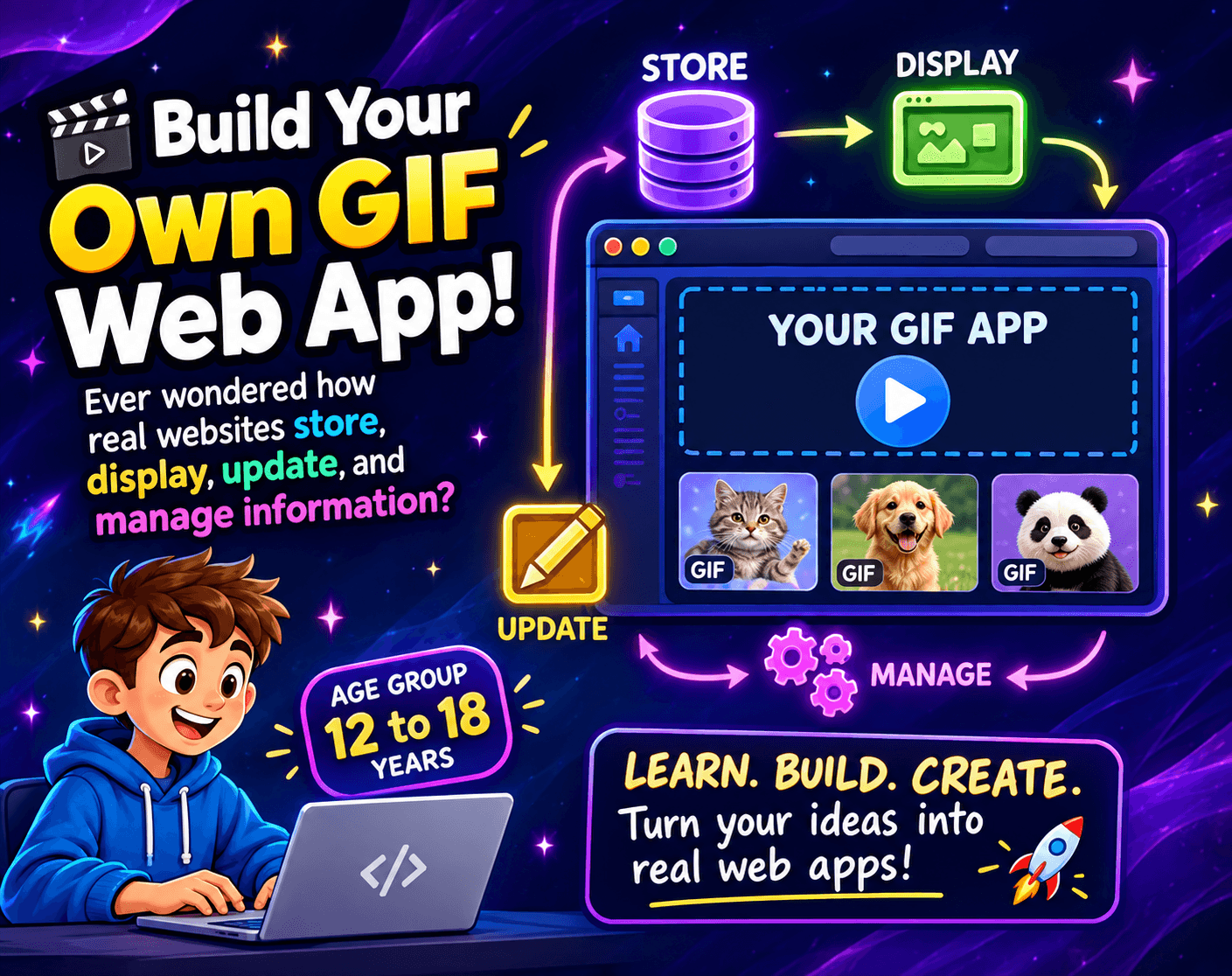
🎬 Build Your Own GIF Web App!
Ever wondered how real websites store, display, update, and manage information? In this hands-on project, students will build their own interactive GIF Web App using React, Node.js, Express, and MongoDB.
Students will create features to add, view, edit, delete, search, and organise GIFs while learning how the frontend, backend, APIs, and database work together.
Instead of simply learning coding concepts from a textbook, students will solve real developer challenges and see their code turn into a working web application.
🚀 Students will learn:
React and JavaScript
Node.js & Express
MongoDB databases
APIs and CRUD operations
How frontend and backend communicate
How real-world web applications store and manage data
By the end, students will have a working full-stack web application they can continue improving and proudly showcase as a coding project.
Paid once.
Dear Parents,
I'm happy to share what is planned for our upcoming Full Stack MERN development class. The class is listed and enrollment is open, but we haven't started yet. This note is a preview of the experience.
The class activity: building "Giffy Pal"
Instead of only reading theory, students will build a real, working web app called Giffy Pal, a collection where GIFs are stored, displayed, and managed. Along the way they'll learn how real websites work behind the scenes:
The screen they see (React): the page with the GIF cards, the form, and the search box.
The server (Node and Express): the part that receives requests such as "show all GIFs" or "delete this one."
The database (MongoDB): where the information is saved permanently, so it's still there after a page refresh.
What students will do, step by step
Prepare their own list of GIFs, with titles, categories, descriptions, and ratings, in a simple data file.
Load all of that data into a database in one go.
Build the four basic actions every app needs: add a GIF, view and search GIFs, edit a GIF, and delete a GIF.
Test their work and fix problems, which is a big part of real programming.
What they'll take away
A clear picture of how the front end, back end, and database fit together
Confidence in reading error messages and working out the cause of a problem
A finished project they built themselves and can show to family and friends
Class details
2 live sessions, 1 hour each
Every Week
Small group, limited to 4 students, so each child gets attention
Students will need a laptop or computer with internet access
Because the sessions are live and build on each other, regular attendance helps students get the most out of the class.
Please reach out with any questions. I'm looking forward to teaching the class and to sharing students' projects with you once they're done.
Explain the roles of the front end (React), the server (Node and Express), and the database (MongoDB), and how a request travels between them.
Describe what an API is and how the browser uses one to ask the server for data.
Store information in a JSON file and read its structure (fields, text, numbers, dates).
Load a whole file of data into a database in one operation, instead of one record at a time.
Design a simple data model with the right field types and rules, such as a required title or a rating between 0 and 5.
Create new records through a form.
Read and display records, including searching by title.
Update an existing record by editing it.
Delete a record with a confirmation step.
Create reusable components such as a form and a card.
Use state to keep the screen in sync with the data.
Show helpful error messages when something goes wrong, such as an invalid rating.
Read an error message and work out its root cause instead of guessing.
Check each layer in order (the database, the server, then the browser) to find where a problem is.
Confirm that a change really saved by refreshing the page and seeing it persist.
Complete a working full-stack app they built themselves and can demonstrate to others.
Required
A laptop or desktop (not a phone or tablet) that students can bring to every class, with a charger.
Permission to install software on that computer. Shared or school-managed computers often block installs, so this is worth checking before the first class.
A working email address, because students will create free accounts (MongoDB Atlas, and GitHub and Vercel later). For younger students, a parent may need to help with sign-up.
Basic computer skills: making folders, copy and paste, and typing comfortably.
Not required
No prior coding experience, because with 24 classes can teach JavaScript, HTML, CSS, and React from the start. "No prior coding experience needed".
Choose a time that works best for you. All times are shown in Coordinated Universal Time.
Hi! I’m Shikha 👋I’ve been teaching kids worldwide for 7+ years, and I love making learning fun and hands-on! I teach students to build real websites from start to finish, create amazing projects in Roblox and Scratch, build in Minecraft, and make Math easier and more interesting…
Vaishnavi Mukherjee4.0
Ages 10–13 · 55 min · 1 / Week
$14.00per classSee schedule

Subhadra Devi5.0
Ages 10–15 · 75 min · 1 / Week
$20.60per classSee schedule
Namita Das4.7
Ages 9–14 · 55 min · 4 / Week
$16.50per classSee schedule
Namita Das3.5
Ages 8–13 · 55 min · 1 / Week
$18.00per classSee schedule
Savita Joshi5.0
Ages 13–17 · 60 min · 1 / Week
$21.90per classSee schedule
S. Jayalakshmi4.7
Ages 10–13 · 55 min · 4 / Week
$21.88per classSee schedule
Vinita Tamrakar4.7
Ages 13–18 · 35 min · 1 / Week
$17.46per classSee schedule
Vinita Tamrakar4.7
Ages 13–16 · 55 min · 1 / Week
$17.38per classSee schedule
Vaishnavi Mukherjee
Beginner
Level
10–13
Ages
55 min
Duration
1 / Week
Classes
16
Weeks
Subhadra Devi
Beginner
Level
10–15
Ages
75 min
Duration
1 / Week
Classes
5
Weeks
Namita Das
Beginner
Level
9–14
Ages
55 min
Duration
4 / Week
Classes
1
Weeks
Namita Das
Beginner
Level
8–13
Ages
55 min
Duration
1 / Week
Classes
3
Weeks
Savita Joshi
Beginner
Level
13–17
Ages
60 min
Duration
1 / Week
Classes
10
Weeks
S. Jayalakshmi
Beginner
Level
10–13
Ages
55 min
Duration
4 / Week
Classes
2
Weeks
Vinita Tamrakar
Beginner
Level
13–18
Ages
35 min
Duration
1 / Week
Classes
50
Weeks
Vinita Tamrakar
Beginner
Level
13–16
Ages
55 min
Duration
1 / Week
Classes
8
Weeks