By Alexis Morgan ·
How to Set Up a Safe Space for Your Child's Online Yoga or Fitness Class
Set up a safe home space for your child's online yoga or fitness class: floor, screen placement, supervision by age and what to watch for.
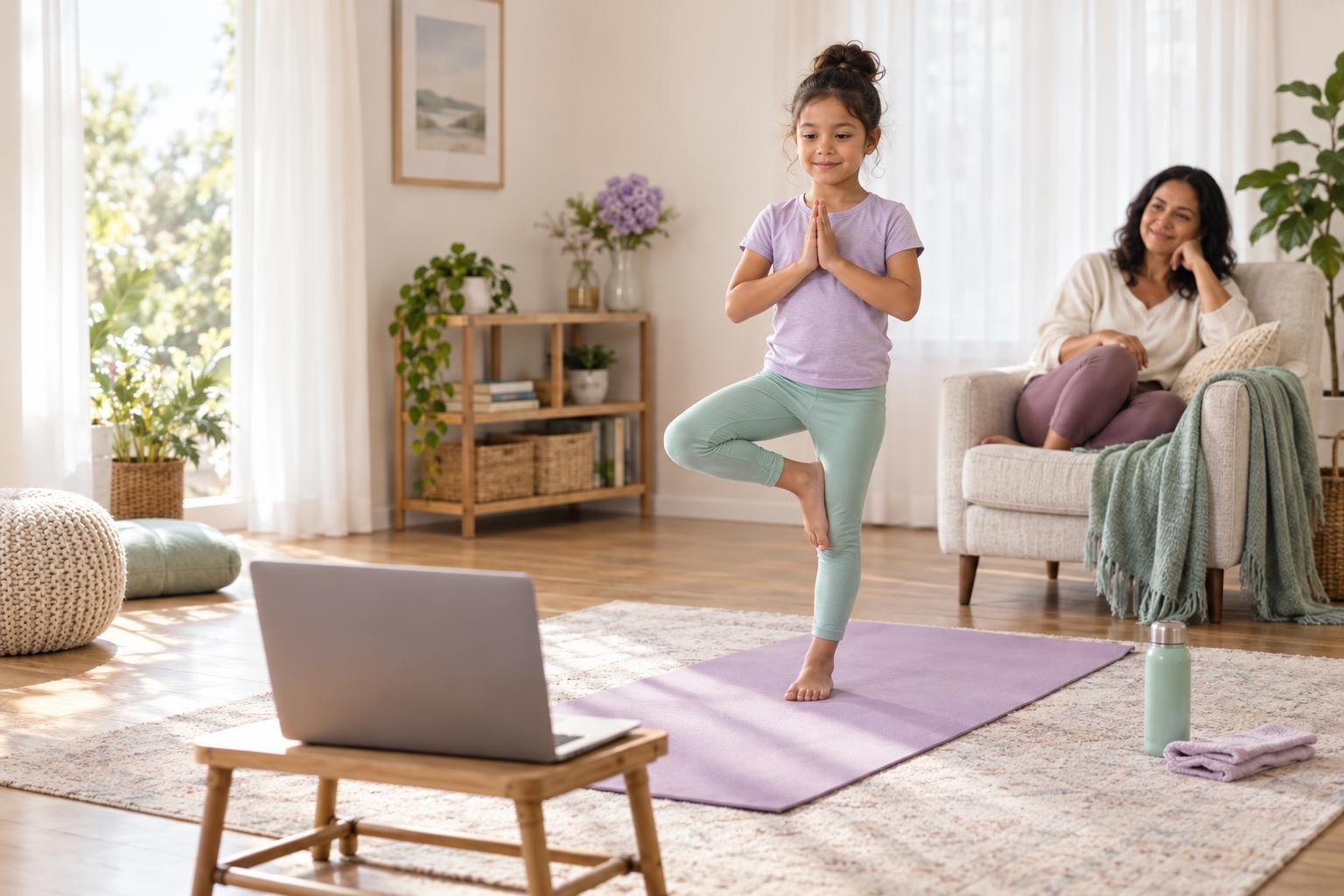
Moving at home in front of a screen is different from moving in a gym. There is no padded floor, no coach walking around to spot, and the device itself can be a tripping hazard. Ten minutes of setup the first time makes every class after that easier and safer.
Clear a patch of floor about the size of a yoga mat plus an arm's reach on every side, put down a non-slip surface, and place the screen at eye level a few feet away so your child can see the teacher without bending over the device. Add a water bottle, check the camera angle, and stay within earshot.
Why a dedicated movement space matters
The CDC says children and teens aged 6 to 17 should get 60 minutes or more of moderate-to-vigorous activity each day, with muscle-strengthening and bone-strengthening activity on at least 3 of those days. Younger children aged 3 to 5 should be active throughout the day.
A live class can be a regular part of that mix, and the CDC lists some forms of yoga as muscle-strengthening and jumping or skipping as bone-strengthening. You can read the details on the CDC page on physical activity for children and its list of activities that count.
A space that is ready to go removes friction. When the mat is already down and the tablet already has a spot, your child spends class time moving instead of hunting for a charger.
How to set up the space, step by step
- Pick the spot. Choose a room with a flat floor and enough height for arms overhead. Avoid areas near stairs, glass doors, fireplaces or sharp furniture corners.
- Clear the floor. Move toys, rugs that slide and cords at least an arm's length away from the mat in every direction. Kids lunge and spin more than you expect.
- Lay a non-slip surface. A yoga mat works well. On hardwood or tile, bare feet grip better than socks. If you only have socks, choose ones with grip soles.
- Place the screen. Set the laptop or tablet on a stable surface at roughly your child's eye level, a few steps back from the mat so the teacher can see their whole body. A short stack of books under a laptop helps.
- Route the cables. Keep the charger cord behind the device and away from the movement area. Tape it down if it crosses the floor.
- Check light and sound. Light should fall on your child, not from a window behind them. Turn the volume up enough that cues are clear from the mat.
- Add the small things. A water bottle, a small towel, and any props the class page lists, such as a ball or a resistance band.
Space and supervision by age
| Age | Space | Grown-up role | Good fit |
|---|---|---|---|
| 3 to 5 | Small cleared area, soft surface | In the room, joining in is welcome | Short story yoga, animal moves, dance |
| 6 to 8 | Full mat plus arm's reach | Nearby and checking in | Kids yoga, movement games, beginner martial arts |
| 9 to 12 | Mat plus room to step or lunge | Within earshot | Yoga flows, bodyweight strength, karate basics |
| 13 to 18 | Mat area, possibly light equipment | Available, checks setup first | Conditioning, flexibility, sport skills |
Clothing, warm-ups and listening to the body
Comfortable clothes that let your child bend and stretch are all they need. Skip loose jewelry, and tie back long hair. A good teacher builds in a warm-up and a cool-down, but you can help by making sure your child arrives on time rather than jumping in halfway.
Movement should feel like effort, not pain. If something hurts, they stop and tell the teacher or you.
Children who have a health condition, a recent injury, or a doctor's activity limit should check with their pediatrician first, and it helps to give the teacher a heads-up before class.
Safety and screen time
A fitness class is screen time, but it is active screen time. The American Academy of Pediatrics' advice on eye and back strain suggests matching screen brightness to the room, keeping glare off the screen, and taking regular movement breaks. Those same habits help here.
- The device wobbling on a shelf or chair when your child jumps nearby
- Pets or siblings wandering into the movement area mid-class
- Your child twisting to look at the screen during poses instead of following cues by listening
- Signs of overheating, dizziness or unusual tiredness, which mean a break and water
- The camera pointing at a part of the home you would rather keep private
If your child is joining a live class such as a kids yoga or karate session, check the class page for props and the camera framing the teacher prefers, and do a quick test call the day before.
Frequently asked questions
Does my child need special equipment for an online fitness class?
Usually not. A mat or a non-slip floor, water and comfortable clothes cover most classes. The class page will list anything extra, such as a ball, band or light weights.
Should I stay in the room?
For children under about 8, yes, or at least close by. Older kids can work more independently, but stay within earshot so you can step in if something goes wrong.
What if we do not have much space?
Many yoga and stretching classes need only a mat's length. Push a coffee table aside, pick seated or standing variations, and let the teacher know so they can suggest options.
Socks or bare feet?
On hardwood or tile, bare feet grip better than ordinary socks. If your child prefers socks, choose ones with grip soles.
Find a class that gets them moving
Once the space is ready, a live kids yoga, movement or martial arts class can become a regular, active part of the week, with a teacher giving cues in real time.